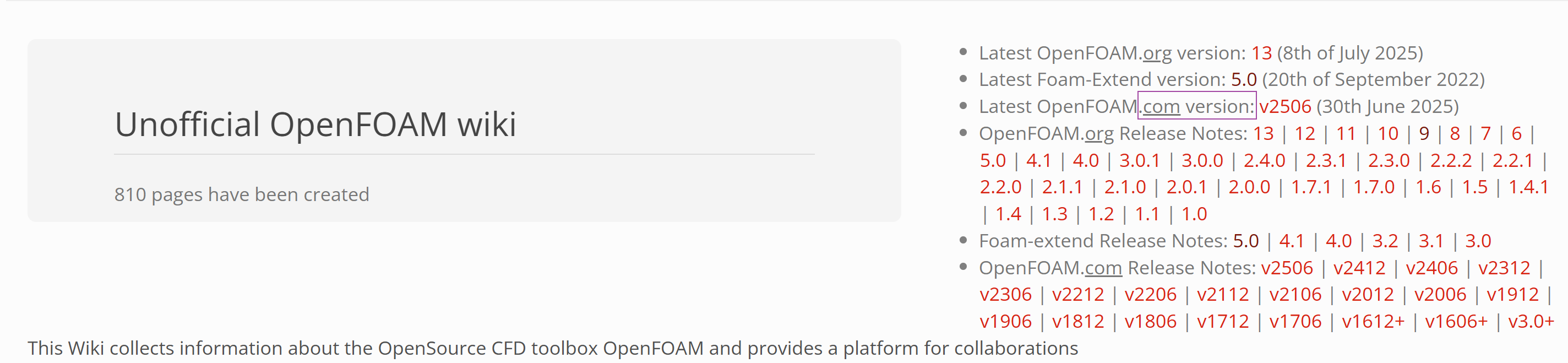
OpenFOAM学习交流 学习网站:安装、运行、算法、开发
精品短文:
常用命令 1 2 3 4 5 6 7 8 9 10 find . -type f -name "fvOptions" find ./ -name "*~" | xargs rm -rf grep -rn "fieldFunctionObjects" ./ sudo mount -t drvfs F: /mnt/f
wsl的安装、Ubuntu的启动和OpenFOAM的运行
各.com版本下载地址
编译
1 2 3 4 5 6 7 8 9 10 11 12 13 14 15 16 17 18 19 sudo apt updatesudo apt-get install -y build-essential flex bison git-core cmake zlib1g-dev libboost-system-dev libboost-thread-dev libopenmpi-dev openmpi-bin gnuplot libreadline-dev libncurses-dev libxt-dev cd /home/czhang/openfoam/OpenFOAM-v2212foamSystemCheck foam ./Allwmake -q -j `nproc `
运行 预处理常用命令: 1 2 3 4 5 6 ccmToFoam renumberMesh -overwrite foamGetDict meshQualityDict checkMesh -allTopology -allGeometry checkMesh -meshQuality -writeSets vtk nappyHexMesh
本地常用命令: 1 2 3 4 5 6 7 8 9 10 11 12 13 14 15 16 17 18 19 20 21 22 23 24 25 26 27 28 29 30 31 32 33 34 35 36 37 38 39 40 41 42 43 touch mkdir pwd top kill sudo mount -t drvfs F: /mnt/ffind . -type f -print0 | xargs -0 grep "tut" find ./ -name "*~" | xargs rm -rf cd /mnt/explorer.exe . /home/song/OpenFOAM/OpenFOAM-v2212/etc/config.sh/aliases vi $HOME /.bashrc source $HOME /OpenFOAM/OpenFOAM-dev/etc/bashrcalias of2212Clean='. ~/0penFOAM/0penF0AM-v2212/bin/tools/CleanFunctions' alias of2212Run='. ~/0penFOAM/OpenFOAM-v2212/bin/tools/RunFunctions' interFoam -postProcess -field " (p U)" -func forceCoeffsIncompressible > log.post1 & foamHelp boundary -field U simpleFoam -postProcess -func yPlus
超算常用命令: 1 2 3 4 5 6 7 8 9 10 11 12 13 14 15 16 17 18 19 https://www.scnet.cn/ui/mall/ sbatch scancel squeue ls /public/software/apps/openfoam/$ module load ParaView/5.8.0-prebuild $ MESA_GL_VERSION_OVERRIDE=3.3 paraview $ MESA_GL_VERSION_OVERRIDE=3.3 ./apps/ParaView-5.11.1/bin/paraview
批处理 of2212
of2212RunFunctions <= of2212R+Tab
cleanCaseWithoutPolyMesh <= of2212C+Tab
cleanCaseWithoutPolyMesh
Z-1-CreateCase.bash 1 2 3 4 5 6 7 8 9 10 11 12 13 14 15 16 17 18 19 20 21 22 23 24 25 26 27 28 29 30 31 32 33 34 35 36 37 38 39 40 41 42 43 44 45 46 47 48 49 50 51 52 53 54 55 56 57 #!/bin/bash #三维-液滴半径-气泡半径-气泡内压-算例生成 # 液滴半径dropletRs (m) dRs=(0.2e-3) # 气泡半径dropletRs (m) bRs=(0.1e-3) # 气泡内压bubblePs (Pa) bPs=(10e6 20e6) for dR in "${dRs[@]}"; do for bR in "${bRs[@]}"; do for bP in "${bPs[@]}"; do cp -rp ./3D-xmm-xmm-xMPa-Tait ./3D-${dR}m-${bR}m-${bP}Pa-10um echo "3D-${dR}m-${bR}m-${bP}Pa" cd 3D-${dR}m-${bR}m-${bP}Pa-10um foamDictionary system/setFieldsDict \ -entry regions \ -set \ "(sphereToCell { centre (0 0 0); radius ${dR}; fieldValues ( volScalarFieldValue alpha.water 1 volScalarFieldValue p_rgh 1e5 volScalarFieldValue p 1e5 volScalarFieldValue T 300 ); } sphereToCell { centre (0 0 0); radius ${bR}; fieldValues ( volScalarFieldValue alpha.water 0 volScalarFieldValue p_rgh ${bP} volScalarFieldValue p ${bP} volScalarFieldValue T 1500 ); })" touch a.foam sbatch pre.slurm cd .. done done done
pre.slurm 1 2 3 4 5 6 7 8 9 10 11 12 13 14 15 16 17 18 19 20 21 22 23 24 25 26 27 28 29 30 #!/bin/bash #SBATCH -J S_P_3D ##作业名 #SBATCH -p xahcnormal ##队列 #SBATCH -N 1 ##申请计算节点数 #SBATCH --cpus-per-task=6 #每进程占用核数 #SBATCH --error=%J.run.err #SBATCH --output=%J.run.out #------------------------------------------------------------------------------ module purge module load OpenFOAM/v2212-hpcx-gcc-7.3.1 module list source /public/software/apps/OpenFOAM/v2212/hpcx-gcc-7.3.1/OpenFOAM-v2212/etc/bashrc source /public/software/apps/OpenFOAM/v2212/hpcx-gcc-7.3.1/OpenFOAM-v2212/bin/tools/RunFunctions #------------------------------------------------------------------------------ #runApplication blockMesh #fluent3DMeshToFoam fluent.msh restore0Dir touch a.foam #funkySetFields -time 0 runApplication setFields runApplication decomposePar
Z-2-RunCase.bash 1 2 3 4 5 6 7 8 9 10 11 12 13 14 15 16 17 18 19 20 21 22 23 24 25 26 #!/bin/bash #三维-液滴半径-气泡半径-气泡内压-算例生成 # 液滴半径dropletRs (m) dRs=(0.2e-3) # 气泡半径dropletRs (m) bRs=(0.1e-3) # 气泡内压bubblePs (Pa) bPs=(10e6 20e6) for dR in "${dRs[@]}"; do for bR in "${bRs[@]}"; do for bP in "${bPs[@]}"; do echo "3D-${dR}m-${bR}m-${bP}Pa" cd 3D-${dR}m-${bR}m-${bP}Pa-10um sbatch run.slurm cd .. done done done
run.slurm 1 2 3 4 5 6 7 8 9 10 11 12 13 14 15 16 17 18 19 20 21 22 23 24 25 26 27 28 29 30 31 32 #!/bin/bash #SBATCH -J S_R_3D ##作业名 #SBATCH -p xahcnormal ##队列 #SBATCH -N 2 ##申请计算节点数 #SBATCH --ntasks-per-node=32 ##每节点进程数 #SBATCH --error=%J.run.err #SBATCH --output=%J.run.out #------------------------------------------------------------------------------ module purge module load OpenFOAM/v2212-hpcx-gcc-7.3.1 module list source /public/software/apps/OpenFOAM/v2212/hpcx-gcc-7.3.1/OpenFOAM-v2212/etc/bashrc source /public/software/apps/OpenFOAM/v2212/hpcx-gcc-7.3.1/OpenFOAM-v2212/bin/tools/RunFunctions # source ~/apps/OpenFOAM-v2212/etc/bashrc # source ~/apps/OpenFOAM-v2212/bin/tools/RunFunctions #------------------------------------------------------------------------------ #srun --mpi=pmix_v3 compressibleInterIsoFoam -parallel > log.compressibleInterIsoFoam srun --mpi=pmix_v3 compressibleInterIsoFoamWithoutT -parallel > log.compressibleInterIsoFoamWithoutT srun -N1 -n1 -c3 reconstructPar -fields '(alpha.water)' > log.reconstruct.Iso.alpha.water & srun -N1 -n1 -c3 reconstructPar -fields '(U)' > log.reconstruct.Iso.U & srun -N1 -n1 -c3 reconstructPar -fields '(p)' > log.reconstruct.Iso.p & wait srun rm -rf process*
viscosity 1 2 3 4 5 6 7 8 9 10 11 12 13 14 15 16 17 18 19 20 21 22 23 24 25 26 27 28 #!/bin/bash list=(1.8) listPara=(1 1.5 2 2.5 3) lenj=${#list[*]} leni=${#listPara[*]} for ((j = 0 ; j<lenj; j++)){ for ((i = 0 ; i<leni; i++)){ cp -rp ./${list[j]} mm.orig ./45MPa_${listPara[i]} mu_${list[j]} mm echo ${listPara[i]} mu echo ${list[j]} mm cd 45MPa_${listPara[i]} mu_${list[j]} mm foamDictionary -entry "mixture.transport.mu" -set "${listPara[i]} " ./constant/thermophysicalProperties.water sh pre.sh & cd .. } }
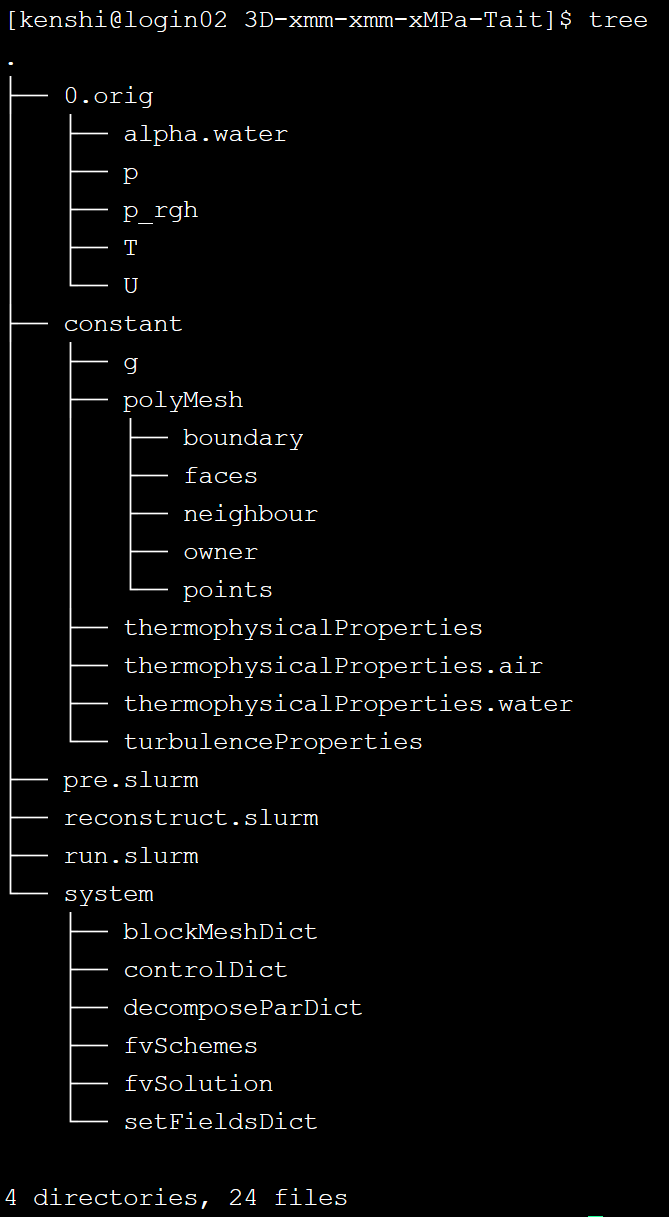
文件结构
后处理 OpenFOAM paraview 常用软件推荐
paraview
Snipaste
Zotero
latex
Origin
ps
python
SpaceSniffer
everything
PDFgear
快捷键 1 2 3 4 Alt+Shift+左键 的列操作 Shift\Ctrl在文件夹内的选择 Shift\Ctrl在文本文件内选择 Shift\Alt对内容的移动
开发
https://www.trae.cn/
https://code.visualstudio.com/